
Cursor follower
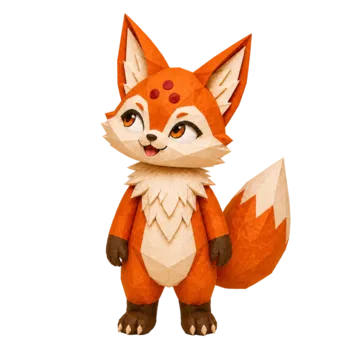
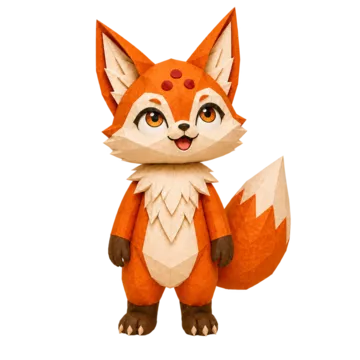
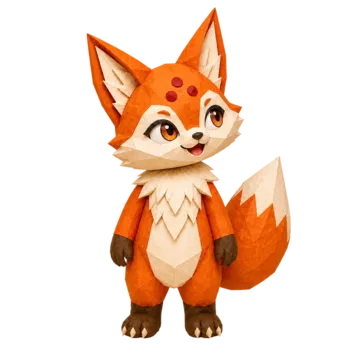
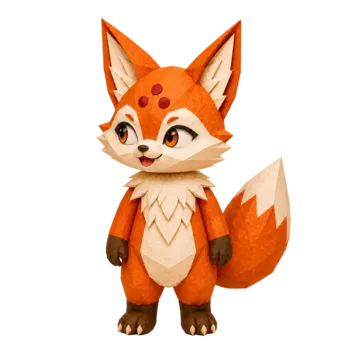
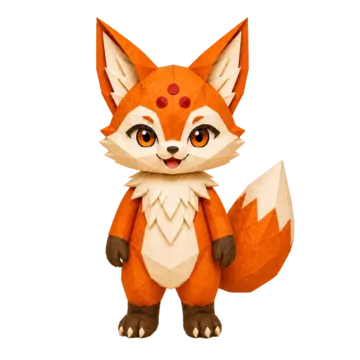
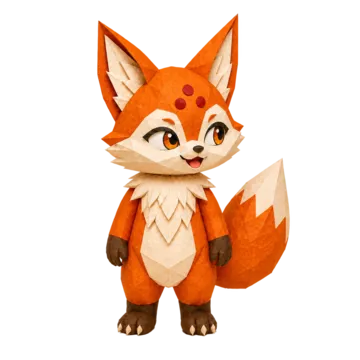
Make your mascot look toward the visitor's cursor on a website. Masko draws nine still images of one transparent pose, one per gaze direction, and a small script shows the right one.
 |  |  |
|---|---|---|
 |  |  |
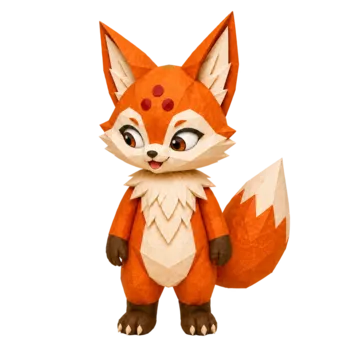 | 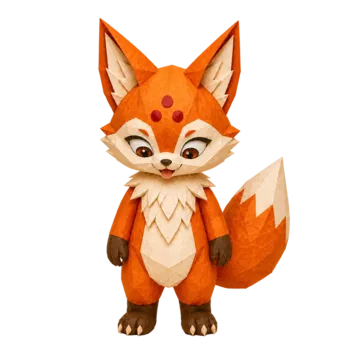 | 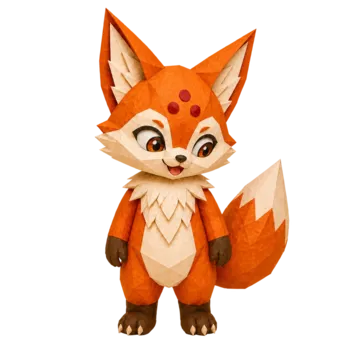 |
Ko's nine directions. Try them live on the cursor follower page.
Cost
9 credits for all nine, refunded if generation fails. Downloads and hosting add no generation credits.
What you need
A completed image with a visible face and a completed transparent version in the same mascot. The follower keeps the image's variant, so a Sporty pose gives a Sporty follower.
Check all nine before use: the gaze can miss, and the head or body can shift slightly between images.
Make one in Studio
Open your mascot
In the Interactive tab, choose Create Interactive (or use it on an image's page).
Pick the image
The Follow cursor template lists images with a transparent version. Choose one, then Create · 9 credits.
Check the result
Its page shows a live preview and one button per direction.
Download or host it
Download the Follow cursor package, or use hosted URLs from Get Links.
Make one with the API
Send a completed image that has a transparent version. name (up to 60 characters) defaults to the image's name.
curl -X POST https://api.masko.ai/v1/mascots/MASCOT_ID/interactive \
  -H "Authorization: Bearer $MASKO_API_KEY" \
  -H "Content-Type: application/json" \
  -d '{
    "source_asset_id": "SOURCE_IMAGE_ID",
    "kind": "cursor-follower",
    "name": "Website cursor follower"
  }'
The 202 response has data.job_id, asset_id, asset_ids.interactive, variant_id, estimated_cost and poll_url. Poll GET /v1/jobs/JOB_ID?api_version=2026-09-26 until completed (jobs and polling); resending charges a new set.
The job type is interactive_generation; the set is an interactive asset with one interactive_frame asset per direction.
Get the hosted images
With hosting on, GET /v1/mascots/MASCOT_ID/cdn-export lists complete followers under interactions:
{
  "interactions": [
    {
      "version": 1,
      "id": "INTERACTION_ID",
      "name": "Website cursor follower",
      "kind": "cursor-follower",
      "width": 1024,
      "height": 1024,
      "manifest_url": "https://assets.masko.ai/.../manifest.json",
      "frames": {
        "up-left": "https://assets.masko.ai/.../up-left.webp",
        "up": "https://assets.masko.ai/.../up.webp",
        "up-right": "https://assets.masko.ai/.../up-right.webp",
        "left": "https://assets.masko.ai/.../left.webp",
        "center": "https://assets.masko.ai/.../center.webp",
        "right": "https://assets.masko.ai/.../right.webp",
        "down-left": "https://assets.masko.ai/.../down-left.webp",
        "down": "https://assets.masko.ai/.../down.webp",
        "down-right": "https://assets.masko.ai/.../down-right.webp"
      }
    }
  ]
}
Frames are lossless 1024 × 1024 WebP on https://assets.masko.ai, with links that never expire. A pose can have several followers, so pick yours by id; for one made before hosting was on, choose Update links in Get Links.
Put it on your website
The Follow cursor package (follow-cursor.zip) needs no API key or Masko connection:
| File | What it is |
|---|---|
frames/*.webp | The nine directions, lossless WebP |
originals/*.png | The original 1024 × 1024 PNGs |
cursor-follower.js | The script, with no dependencies |
cursor-follower.d.ts | TypeScript types |
CursorFollower.tsx | React component |
preview.html | Test page: open it and move your cursor |
Resize the 1024-pixel images to the displayed size to keep the page light.
<div id="mascot"></div>
<script type="module">
  import { mountCursorFollower } from './cursor-follower.js';

  const directions = ['up-left', 'up', 'up-right', 'left', 'center',
    'right', 'down-left', 'down', 'down-right'];

  mountCursorFollower(document.querySelector('#mascot'), {
    frames: Object.fromEntries(
      directions.map((d) => [d, `/mascot/frames/${d}.webp`])
    ),
    size: 240,
    label: 'Ko, our mascot'
  });
</script>
mountCursorFollower(container, options) takes frames (nine image URLs), optional size (64 to 640 pixels) and optional label (alt text). It returns:
setDirection(direction), such as'up-left';setTracking(enabled), to pause or resume tracking;destroy(), to remove the mascot and its listeners.
For example, look away while a password is typed:
const mascot = mountCursorFollower(element, { frames });

password.addEventListener('focus', () => {
  mascot.setTracking(false);
  mascot.setDirection('up-left');
});
password.addEventListener('blur', () => mascot.setTracking(true));
On phones, tablets and with reduced motion, the mascot looks straight at the visitor, though setDirection still works. For reactions to clicks and app events, build a canvas.